
ALL CATEGORIES
Attention: the following instruction only applies to fixed-frequency miners such as DR5 and D5. If your miner is auto-frequency (e.g., S11, S15,T15), we need to receive the complete unit for repair because we cannot guarantee the miner will work well with the repaired board unless we test the complete unit in our facility.
Tools required:
Watch tutorial video to learn how to disassemble the DR5 hashboard via the link: https://youtu.be/XkHDMuTutHI
1. Disassemble the control board case.
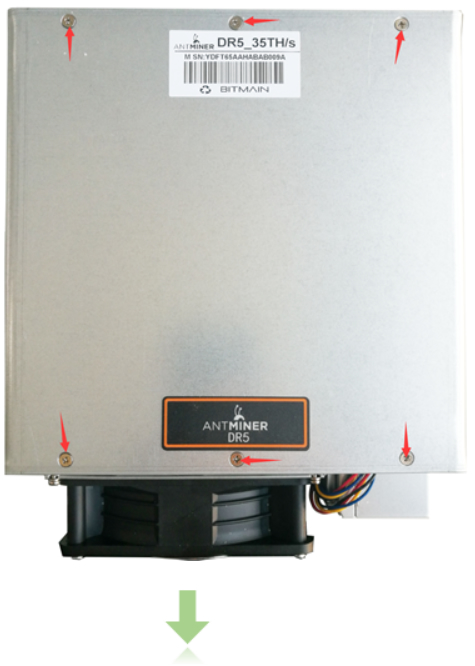
Place the miner as shown in the picture below. Use the cross screwdriver to remove the 6 screws.

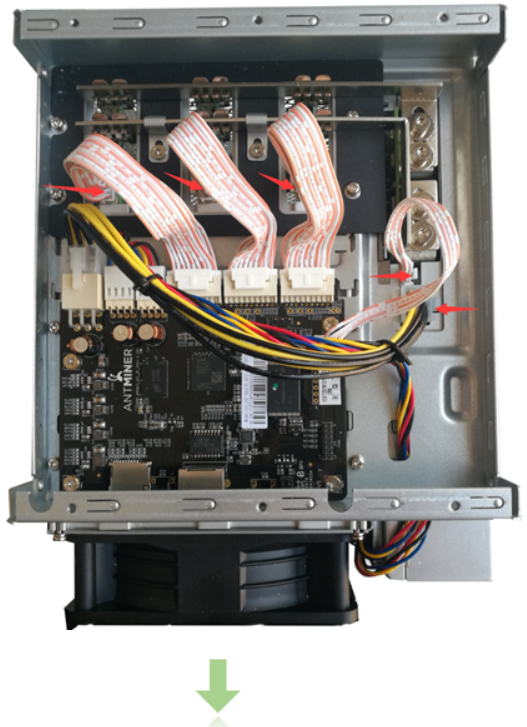
Unplug all the cables. See the red arrow signs in the picture below.

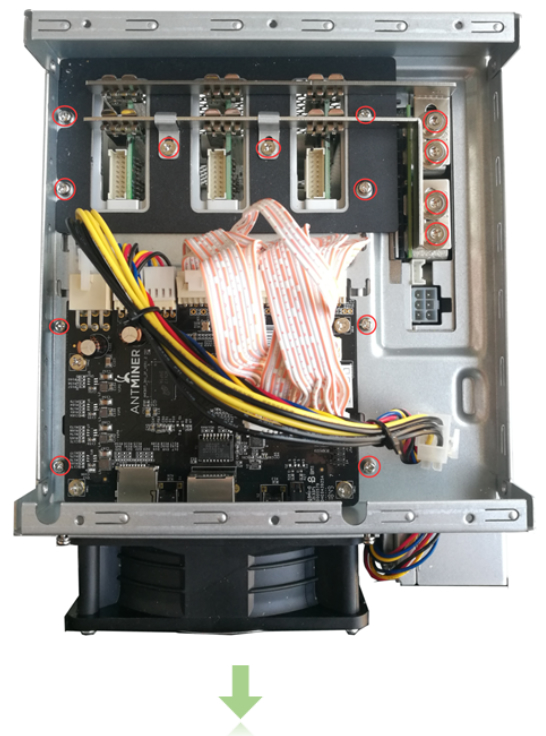
Remove the 14 screws.
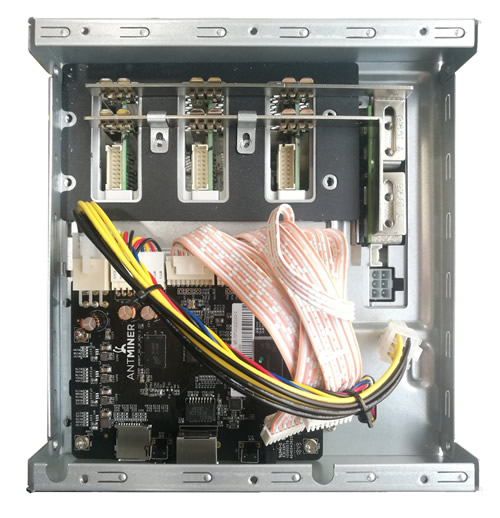
Remove the PSU metal pieces.
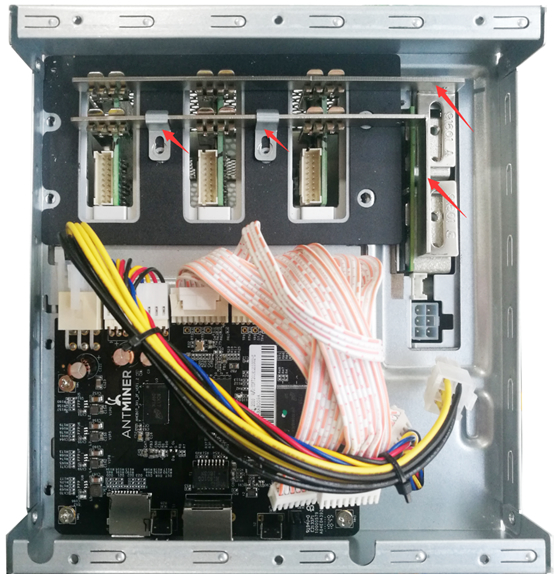
Lift up the control board part and remove it.

2. Disassemble the hashboards.
Remove the 4 screws in the back metal board.

Pull the hashboards out.


